


ReShot : AI Photo Generator
3.8162.00 Reviews
App Specs
- Version
- 1.7.5
- Updated On
- License
- Free
- Downloads
- 5,000,000+
- Developer
- Vyro AI
- Categories
- Art & Design
- Platform
- Android
Screenshots
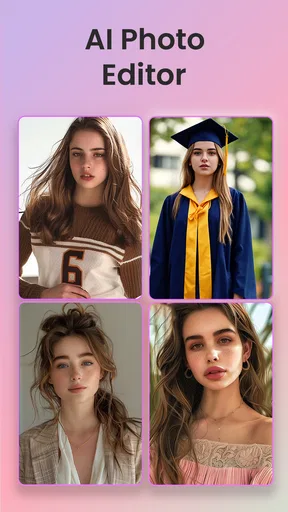
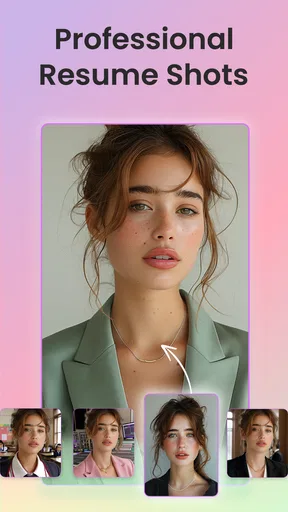
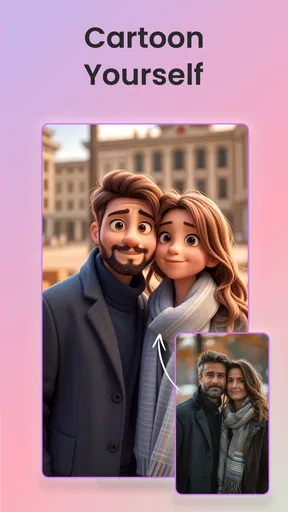
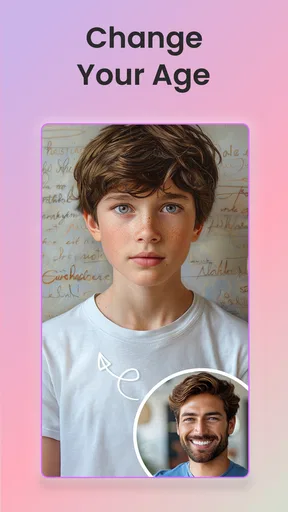
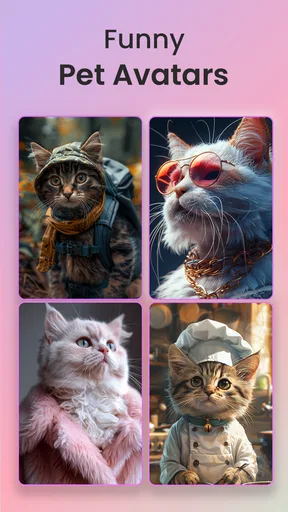
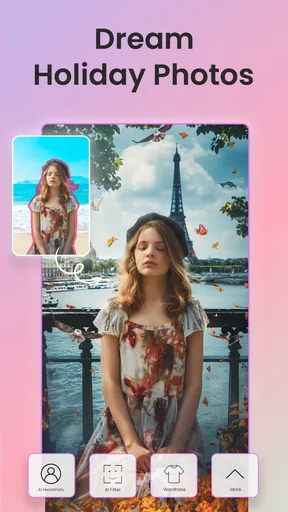
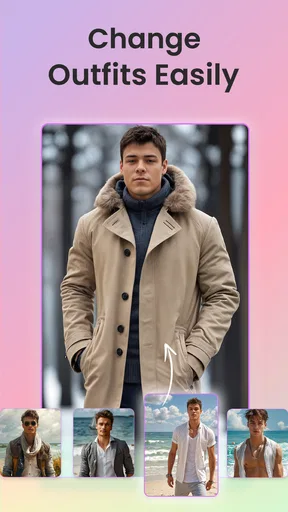
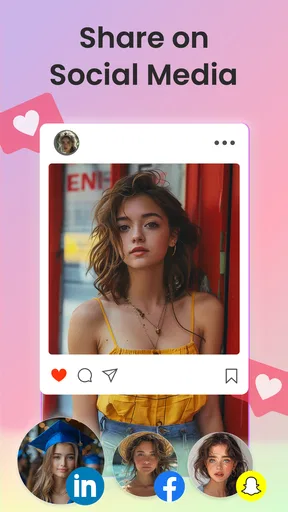
 Analysis by AppCompare
ReShot: AI Photo Generator caught my attention because it puts several familiar portrait treatments in one place: Ghibli-inspired looks, AI headshots, and cartoon-style filters. I usually approach this kind of AI photo editing app with some caution. The first few results can be entertaining, but the real question is whether the app remains useful after the novelty wears off. After spending time with it, I see ReShot as a convenient creative tool for quick experiments rather than a complete replacement for a traditional photo editor.
The app comes from Vyro AI and sits in the Art & Design category. It is free to install, aimed at Everyone, and supports devices running Android 8.0 or later. Its current version is 1.7.5, and its reach is already substantial, with more than five million installs. Those details make it easy to try, but they do not automatically make it a long-term keeper. The lasting value depends on how often you actually need stylized portraits and whether you are comfortable working around the app’s limits.
What ReShot feels like during the first week
During the first few sessions, the appeal is immediate. I can start with a portrait and quickly explore a different visual identity without learning layers, masks, brushes, or complicated adjustment panels. That simplicity is the strongest reason to try it. Someone who wants a playful profile picture, a stylized image for a chat account, or a quick transformation to share with friends can get to the interesting part much faster than with a conventional editor.
The range of ideas also helps the app feel less narrow than a single-purpose filter tool. A Ghibli-inspired portrait serves a different mood from a polished AI headshot, while a toon-up effect is more casual and expressive. I like having those directions together because I can use the same original photo for different purposes instead of moving between several separate apps.
That convenience matters in ordinary situations. Imagine taking a decent portrait before a video call, realizing the lighting is flat, and wanting a more polished image for a professional profile. On another day, the same person might want a playful illustration for a messaging avatar. ReShot fits both moments better than opening a full desktop-style editor, especially when the goal is a quick result rather than precise retouching.
My first-week advice is to test the app with several types of source photos instead of judging it from one selfie. Try a clear front-facing portrait, a slightly angled image, and a photo with a busier background. AI transformations can look convincing when the face is easy to read, but a result that works beautifully on one image may feel less natural on another. This is one of the first practical trade-offs: the app reduces editing effort, but it also gives you less control over how it interprets the source.
The headshot direction is especially useful when you need something cleaner than a casual snapshot but do not want to spend time learning professional portrait software. I would still inspect the final image carefully before using it for a résumé, business page, or formal profile. A polished style can improve presentation, but an overly artificial face or inconsistent detail can have the opposite effect. ReShot is best used to create options, not to blindly replace your real appearance.
Worth Reading Before You Choose

Flipboard Shows What News Apps Must Do Beyond the Feed

Switching to Android Auto Means Rethinking Your Driving Routine

Google Calendar Makes a Crowded Week Easier to Manage

Ludo King Makes the Most of the Minutes Between Plans

Baby Panda World Brings Quick Play to Modern Phones, but Its Game Library Feels Busy

ESPN’s Live Game View Makes Following Close Games Easier
The cartoon and Ghibli-inspired treatments are more forgiving because they are meant to be expressive rather than strictly realistic. Small changes in facial detail feel less distracting in an illustrated result. That makes these modes good for experimentation, gifts, social posts, and personal projects where personality matters more than photographic accuracy.
One useful workflow is to keep the original portrait untouched and create variations from a duplicate or a saved copy. That sounds obvious, but it prevents a common mistake with fast creative apps: becoming so focused on the transformation that you lose track of the source image you actually prefer. I also recommend comparing results at normal viewing size, not just zoomed in. AI images can look impressive in a preview while revealing odd details when examined closely.
The free entry point is helpful for discovery. I can explore the basic experience before deciding whether the app deserves regular use. At the same time, in-app purchases range from $3.49 to $24.99 per item, so I would not treat every attractive option as part of the free experience. The sensible approach is to understand what you can do without paying, test the quality on your own photos, and only then consider whether a paid item solves a recurring need.
Where the novelty starts to settle
After the initial excitement, the main question changes from “What can this picture become?” to “What will I use this for next week?” That is where ReShot becomes more selective. If you regularly refresh profile images, create visual material for social channels, or enjoy making themed portraits, the app can remain rewarding. If you only want one novelty image, the first-week experience may be the entire reason to install it.
I found that the app works best when I approach it with a specific purpose. Instead of applying every available look to every photo, I choose a role for the image first. A professional-looking headshot needs restraint, a cartoon avatar can be more exaggerated, and a Ghibli-inspired portrait works when I want a warm, illustrated atmosphere. This small change in mindset makes the results feel more intentional and reduces the sense of endlessly browsing effects.
That distinction separates ReShot from a traditional editor. Apps built around manual editing are slower at producing a dramatic transformation, but they offer much finer control over color, cropping, skin texture, background treatment, and individual details. ReShot wins when speed and style are more important than exact decisions. A conventional editor wins when I already know what needs fixing and want to make that fix myself.
It also differs from a standard social filter camera. A social filter is often designed for immediate sharing and live play, while ReShot is more focused on transforming an existing portrait into a new visual version. That makes it more useful when I already have a photo I like, but less compelling if my main interest is taking spontaneous pictures with effects in real time.
Does it earn a place after the first month?
Month-to-month value depends on repetition. I can imagine keeping ReShot installed if I manage several online identities, help a small project with visual content, or routinely need fresh portraits for posts and profiles. It can also be useful for birthdays, invitations, themed announcements, and personal art experiments. These are recurring but occasional needs, which may be enough for a lightweight app that stays available when inspiration arrives.
For a person who edits photos every day, however, ReShot may feel limited beside a broader creative suite. The automated approach is convenient, but convenience becomes less valuable when I need consistent branding, exact composition, or a series of images that all match. In that situation, I would rather use ReShot for quick concept exploration and then move the strongest idea into a more controllable editor.
A practical long-term workflow is to use the app at the beginning of a project, not necessarily at the end. I can generate several portrait directions, compare the mood of each, and choose one as a visual reference. That makes the AI output useful even when I do not publish it directly. It turns ReShot from a button that produces a final picture into a small source of creative direction.
Another non-obvious use is separating audiences. I might keep a realistic headshot for work, a stylized portrait for a personal account, and a cartoon version for a community where a more relaxed identity feels appropriate. ReShot is well suited to this because its value is not limited to “making one photo better.” It helps create different versions of how I present myself, provided I remember that each version communicates something different.
The app’s 3.8 average rating from roughly twelve thousand ratings suggests a mixed but meaningful public response. I read that as a reason to keep expectations grounded. ReShot clearly appeals to many people, but it is not the kind of tool I would recommend assuming every transformation will look equally natural. The experience varies with the source material, the chosen style, and how much artistic interpretation I am willing to accept.
There are also situations where I would skip it. If I need precise background removal, detailed object cleanup, advanced typography, or repeatable commercial templates, a dedicated editor is a better fit. If I need a completely faithful portrait for identification or formal documentation, an AI-stylized image is the wrong choice altogether. ReShot is for creative presentation, not for preserving strict photographic accuracy.
The maintenance burden is small, but not zero
ReShot is not a productivity system that demands daily organization, yet keeping it useful still requires a little discipline. The biggest maintenance task is curating source photos. AI portrait tools are only as practical as the images I give them, so keeping a small selection of clear, well-composed portraits on the device saves time later. A blurry or heavily obstructed face is a poor starting point for almost any stylized transformation.
I would also review results before sharing them, especially when the image is meant to represent me professionally. Look at the eyes, hairline, hands if they appear, jewelry, glasses, and the edges of clothing. These are the areas where an attractive overall style can distract from details that feel wrong. The extra inspection takes only a moment, but it makes the difference between a fun result and an embarrassing one.
Another maintenance issue is managing expectations around paid content. Because the app is free with in-app purchases, I would decide in advance whether I am experimenting casually or looking for a repeatable tool worth spending money on. A single appealing preview is not enough evidence. I would test several photos and ask whether I can see myself using the result more than once. That prevents a one-time burst of enthusiasm from turning into an unnecessary purchase.
Updates can matter as well. The current version is 1.7.5, so I would keep an eye on the app’s behavior after updates rather than assuming every change improves my preferred workflow. A new version may refine the experience, alter the balance between free and paid options, or change which styles I reach for most. The broader lesson is simple: an AI art app earns long-term space when it remains predictable enough to fit a routine, not merely when it offers a large first impression.
What creates fatigue over time
The first source of fatigue is repetition. Once I have seen a few successful cartoon or illustrated portraits, another variation can feel less exciting. This is normal for the category, but it affects ReShot directly because its strongest feature is transformation. If I do not have a new project, event, or identity to support, opening the app can become a search for novelty rather than a meaningful creative step.
The second source is reduced control. Automated results are fast precisely because the app makes many decisions for me. That is excellent when I want a surprise, but frustrating when the face looks almost right and I want to correct one specific feature. I may like the overall mood while disliking a small detail, yet have no reason to keep regenerating the entire image. This is the point where a manual editor becomes more satisfying.
The third is consistency across a collection. One portrait may look excellent on its own, but a group of images can feel uneven if each transformation interprets the subject differently. That matters for a creator building a recognizable feed or a small business trying to look coherent. I would use ReShot for individual standout images, not assume it will automatically produce a unified visual system.
There is also a social fatigue factor. AI-styled portraits are easy to share, but they can begin to look interchangeable when many people use similar visual trends. The app is more interesting when I add a reason or context to the image rather than posting every output simply because it exists. A personal story, a themed event, or a clear creative idea gives the transformation more staying power.
For privacy-conscious users, I would make a deliberate decision before importing personal portraits into any AI editing service. I would read the app’s current privacy information and consider whether the convenience matches my comfort level. That is not a criticism unique to ReShot; it is a sensible step for any tool that processes personal images. People who are not comfortable with that trade-off should stay with an offline editor or a camera app that keeps the workflow local.
My long-term verdict on ReShot
I recommend ReShot to people who want fast, expressive portrait experiments and do not need fine-grained editing control. It is particularly appealing for casual creators, profile-picture refreshes, themed social content, and anyone who enjoys seeing one ordinary photo interpreted in several artistic directions. The free installation and Everyone age rating make it approachable, while support for Android 8.0 or later keeps it available on a wide range of devices.
I would not recommend making it the only photo tool on a phone. Its strength is the shortcut from portrait to stylized result, not the complete management of a visual project. For detailed corrections, consistent brand work, careful retouching, or faithful photography, a dedicated editor remains the better choice. ReShot can sit beside that tool as an idea generator and quick finishing option.
The app earns lasting space when I give it a recurring job. That job might be creating a new avatar every few months, preparing a playful image for an event, exploring a visual direction before a larger project, or producing occasional headshot alternatives. Without one of those habits, the app risks becoming a one-week curiosity. With one, it remains a convenient creative shortcut.
My final advice is to start with your own best portrait, try the realistic and illustrated directions separately, and judge the results at full size before sharing or paying. Keep the original, compare several outputs, and be honest about whether the style still serves your purpose after the surprise fades. In my experience, ReShot is most valuable when it supports a specific creative habit, not when it is treated as an endless filter collection.
That makes it a worthwhile free download for the right audience, but not an automatic recommendation for everyone. Vyro AI has built an accessible way to explore AI portraits, and the app’s variety gives it more staying power than a single-effect novelty tool. Still, the long-term decision comes down to control, consistency, and frequency of use. If you want quick visual reinvention, it deserves a place on your phone; if you want complete editing authority, I would look elsewhere and use this only when speed matters more than precision.
Pros
- Generates creative portraits and themed images from simple prompts.
- Offers multiple visual styles for experimenting with different looks.
- Useful for profile pictures
- avatars
- and social media content.
- Simple interface makes image creation accessible to beginners.
- Can provide inspiration when you need fresh photo concepts.
Cons
- Results may vary noticeably depending on the quality of the uploaded photo.
- Some advanced styles or generations may require a paid subscription.
- AI details such as hands
- eyes
- or text can occasionally look unnatural.
- Processing times may increase during busy periods or with complex requests.
- Uploaded images may raise privacy concerns
- so review the app’s data policy.
FAQs for ReShot : AI Photo Generator
What is ReShot: AI Photo Generator and what can it do?
ReShot: AI Photo Generator is an AI-powered photo editing and creation app designed to transform images with automated effects, artistic styles, enhancements, and creative edits. Depending on the available tools, you may be able to generate stylized portraits, change visual themes, improve image quality, and create social-media-ready pictures. Results can vary according to the original photo, selected effect, and processing options.
Is ReShot: AI Photo Generator free to download and use?
The app may be free to download, but some features, filters, generation tools, or export options can require in-app purchases or a subscription. Before creating multiple images, check the pricing screen carefully, including trial terms, renewal conditions, and available credits. Free access may also include limitations such as advertisements, watermarks, lower-resolution exports, or a restricted number of daily generations.
Are my photos safe when I use ReShot?
Because AI photo tools commonly process images through online servers, you should review ReShot’s privacy policy before uploading personal or sensitive pictures. Avoid using photos that contain confidential documents, financial information, or people who have not agreed to the upload. Also check whether images are stored temporarily, used to improve services, shared with providers, or automatically deleted after processing.
Does ReShot require an internet connection to generate or edit photos?
Most AI generation features require an active internet connection because image processing is usually performed on remote servers rather than entirely on the phone. Basic browsing or certain local editing functions may work differently, but you should not expect the main AI tools to operate fully offline. A stable Wi-Fi or mobile-data connection can also help prevent failed generations and incomplete downloads.
What should I know about the quality and limitations of ReShot’s AI results?
ReShot can produce attractive and imaginative results, but AI-generated images are not always perfect. Faces, hands, text, jewelry, backgrounds, and small details may occasionally look distorted or inconsistent. The final quality depends on the source image, prompt or preset, device, and selected export settings. You may need to try several variations, and some high-resolution or watermark-free results may be reserved for paid users.


